 En
En Fr
Fr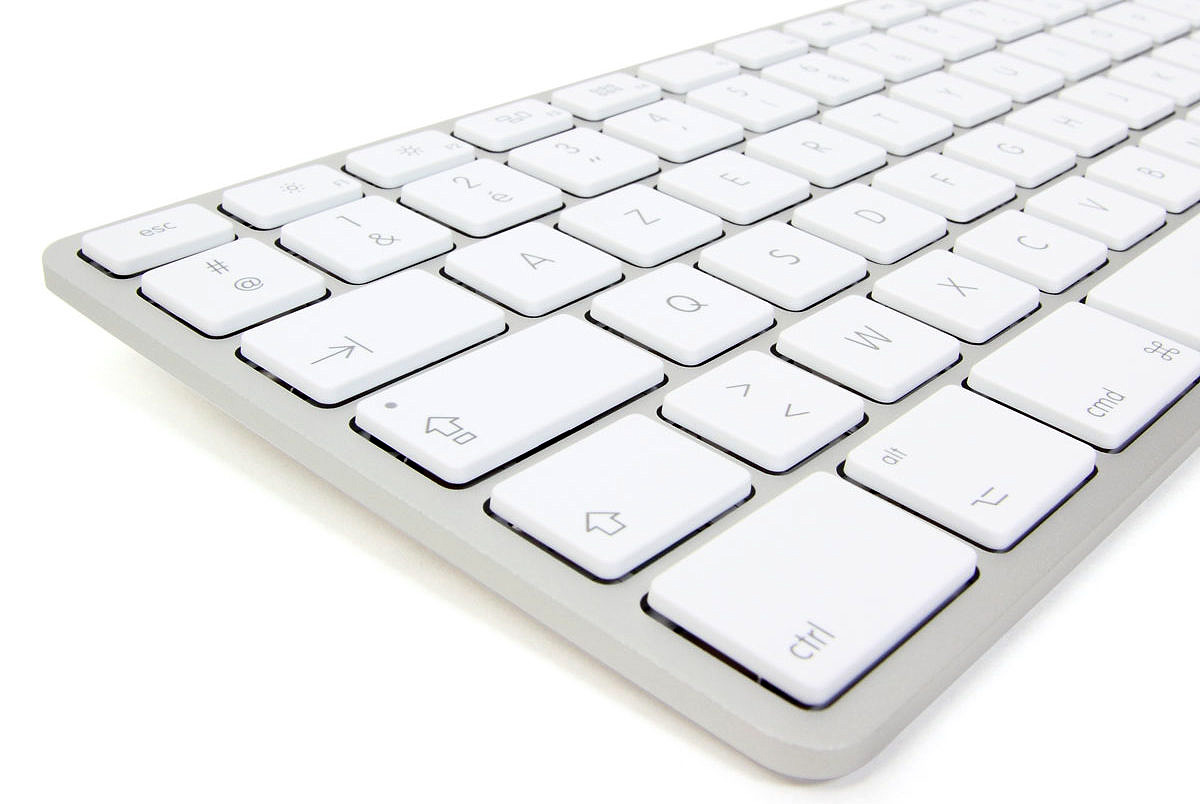
Here is version 1.05 (Windows) of my Unicode Ugaritic AZERTY keyboard. I have not prepared a Mac version yet.
Installation
- Click on the following link to download the keyboard: Ougaritique avec clavier français 1.05 Windows
- Run the downloaded file, and wait during installation.
- A message lets you know that the keyboard has been installed. Restart your computer.
Usage
- In your word processor, place the cursor where you want to input text with this keyboard.
- Click on the taskbar language “FR” siglum:

- Click on “UZ Uzbek.”
- You can now input text using this keyboard. Don’t forget to use a Unicode font that has Ugaritic characters, such as those listed here.
- Once you’re done using this keyboard, click on the taskbar “UZ” siglum again and choose “FR.”

Functions
The letters of the alphabet are located on the same keys as a regular French keyboard, as with my other keyboards for Semitic languages.
- 𐎀 {ả} est sur la touche a ou ²
- 𐎁 {b} est sur la touche b
- 𐎂 {g} est sur la touche g
- 𐎃 {ḫ} est sur la touche ALTGR+h ou MAJ+k
- 𐎄 {d} est sur la touche d
- 𐎅 {h} est sur la touche h
- 𐎆 {w} est sur la touche w
- 𐎇 {z} est sur la touche z
- 𐎈 {ḥ} est sur la touche MAJ+h
- 𐎉 {ṭ} est sur la touche MAJ+t
- 𐎊 {y} est sur la touche y
- 𐎋 {k} est sur la touche k
- 𐎌 {š} est sur la touche MAJ+s
- 𐎍 {l} est sur la touche l
- 𐎎 {m} est sur la touche m
- 𐎏 {ḏ} est sur la touche MAJ+d ou v
- 𐎐 {n} est sur la touche n
- 𐎑 {ẓ} est sur la touche MAJ+z
- 𐎒 {s} est sur la touche s
- 𐎓 {ʿ} est sur la touche c ou MAJ+²
- 𐎔 {p} est sur la touche p
- 𐎕 {ṣ} est sur la touche x
- 𐎖 {q} est sur la touche q
- 𐎗 {r} est sur la touche r
- 𐎘 {ṯ} est sur la touche ALTGR+t ou f
- 𐎙 {ġ} est sur la touche MAJ+g ou MAJ+r
- 𐎚 {t} est sur la touche t
- 𐎛 {ỉ} est sur la touche i
- 𐎜 {ủ} est sur la touche u
- 𐎝 {s̀} est sur la touche ALTGR+s ou MAJ+x ou $
- 𐎟 {‧} est sur la touche ;
Symbols
- crochet ouvert gauche : touche ALTGR+< (→ 〈)
- crochet ouvert droit : touche ALTGR+MAJ+< (→ 〉)
- plafond gauche : touche ALTGR+MAJ+( (→ ⌈)
- plafond droit : touche ALTGR+MAJ+) (→ ⌉)
If you have any suggestions to improve this keyboard, just let me know!
Bonjour,
Je travaille pour l’IFPO pour la revue Syria et j’ai un problème avec le plafond droit et gauche dans un article de D. Pardee.
Je travaille sur Mac.
Merci pour votre aide,
Cordialement,
Christine Buratto
Bonjour, si j’ai bien compris vous ne voulez pas saisir le texte en caractères ougaritiques mais plutôt en translittération latine. Ce n’est donc pas le clavier ougaritique que vous devez utiliser, mais le clavier français diacrité (voir http://michaellanglois.fr/docs). Celui-ci inclut les demi-crochets hauts : le gauche (⸢) est sur la touche ALT+MAJ+§ et le droit (⸣) sur la touche ALT+MAJ+à (sur Mac). Il vous faut aussi une police compatible, j’en mentionne quelques-unes en bas de la page décrivant le clavier. Merci et bonne continuation !
Bonjour,
Je suis espérantophone et grâce à vos programmes pour adapter les claviers des différents ordinateurs, apple ou window je peux taper très facilement tous mes textes en espéranto. Un grand merci pour ce précieux outil que je transmets à “mes élèves” (j’enseigne bénévolement cette langue en milieu associatif).
Bien cordialement,
Andrea Bertrand
Merci! 😀